
Digital Art KS2 Art and Design. Make the most of your skills with the links to free teaching resources.

Colour Colour Interactive
Choose a work of art from the Tate Gallery, select an artists style and colour your picture. Compare your picture to the original. Save your picture to the online gallery.
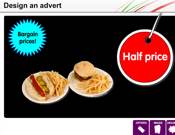
Design An Advert Interactive
Design an advert to promote a special offer, choose your product, special offer, headline and background colour then print.
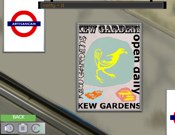
Lino Printing Interactive
Discover the world of lino-printing through the work of Edward Bawden. Create your own print and see it displayed on the tube.

Pixelface interactive
PIXELFACE is an interactive portrait maker and drawing board. You have 49 colors and 24 brushes to play with. Select a model to begin. The sliders adjust pixel size and transparency levels. The green arrows change brush menus. Click the red AUTO button and Pixelface will create a portrait for you in the style and resolution you've chosen.

Shapes In Pictures Interactive
This activity looks at the use of geometric shapes in pictures. Pupils then have the opportunity to make their own shape picture on the board, with a variety of tools and colours. Practical activities are then suggested for the pupils, including a comparison of their shape picture to a picture of some boats by a Welsh artist.
Stitch It Up Interactive
Design your own virtual duvet cover with our sewing machine activity. Sketch your own patterns, cut shapes and stitch your designs with coloured threads. Click the sewing machine and view your design in a bedroom gallery.
